davidhayden-ci - BootstrapAlert.OrchardCore 1.0.0-rc2-13
Adds a recipe that creates a Bootstrap Alert widget for Orchard Core CMS Website.
PM> Install-Package BootstrapAlert.OrchardCore -Version 1.0.0-rc2-13 -Source https://www.myget.org/F/davidhayden-ci/api/v3/index.json
> nuget.exe install BootstrapAlert.OrchardCore -Version 1.0.0-rc2-13 -Source https://www.myget.org/F/davidhayden-ci/api/v3/index.json
> dotnet add package BootstrapAlert.OrchardCore --version 1.0.0-rc2-13 --source https://www.myget.org/F/davidhayden-ci/api/v3/index.json
source https://www.myget.org/F/davidhayden-ci/api/v3/index.json

nuget BootstrapAlert.OrchardCore ~> 1.0.0-rc2-13> choco install BootstrapAlert.OrchardCore --version 1.0.0-rc2-13 --source https://www.myget.org/F/davidhayden-ci/api/v2
Import-Module PowerShellGet
Register-PSRepository -Name "davidhayden-ci" -SourceLocation "https://www.myget.org/F/davidhayden-ci/api/v2"
Install-Module -Name "BootstrapAlert.OrchardCore" -RequiredVersion "1.0.0-rc2-13" -Repository "davidhayden-ci" -AllowPreReleaseBootstrap Alert
Bootstrap Alert is an Orchard Core CMS Module that adds a recipe to your Orchard Core CMS Website. When run, the recipe creates an Alert Widget and corresponding template to display a Bootstrap Alert.
Current Status

Getting Started
The module expects Bootstrap to be used by the Orchard Core CMS website. The module does not come with Bootstrap CSS and JS. Make sure your theme includes the necessary assets for the Alert to look and work properly.
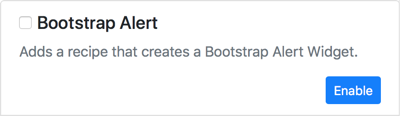
Add the NuGet package, BootstrapAlert.OrchardCore, to the Orchard Core CMS Website. Launch the website and sign in as an administrator to enable the module from the dashboard under Configuration -> Features.
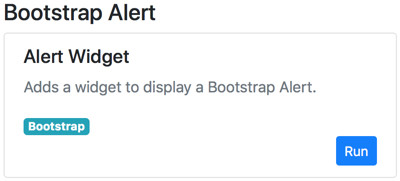
The module installs a recipe, called Alert Widget, that adds a widget to display a Bootstrap Alert. You can view and run the recipe from the dashboard under Configuration -> Recipes.
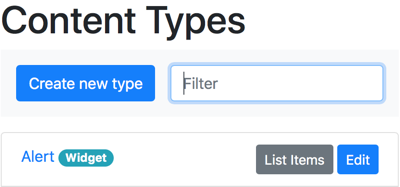
You can view the Alert Content Type (stereotyped as a widget) by displaying the Content Types from the dashboard under Content Definition -> Content Types.
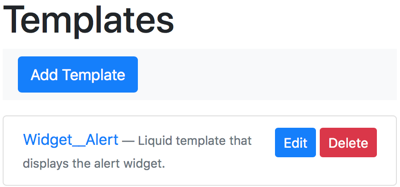
In addition to the Alert Content Type, the recipe also installs a custom liquid template to display the Alert Widget. View the template from the dashboard under Configuration -> Templates.
Specify the Type of alert (e.g. Success, Info, Warning, Danger) and the body of the alert when adding it to a zone. The recipe specifies the Standard HTML Editor for the body as it assumes HTML will be used infrequently and sparingly.
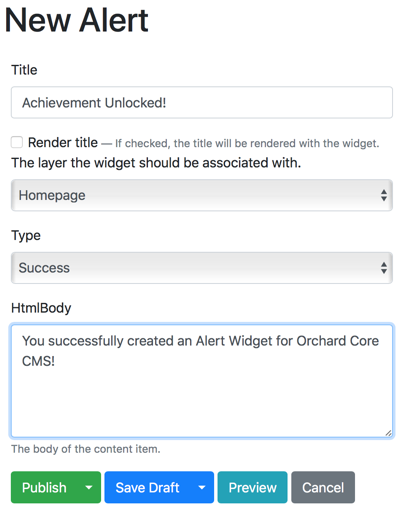
After publishing the widget, navigate to the appropriate area of your website to view the alert.
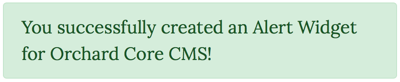
For more information on the the Bootstrap Alert Component, visit the Bootstrap documentation.
Customization
The Alert Widget produces the suggested HTML mentioned in the Bootstrap documentation and allows one to create an alert with no knowledge of HTML. You can, however, customize the HTML by modifying the liquid template that comes with the module, Widget__Alert. You can modify the template from the dashboard under Configuration -> Templates. See the Orchard Core Documentation for more information on Templates.
<div class="alert alert-{{ Model.ContentItem.Content.Alert.Type.Text }}" role="alert">
  {{ Model.Content.HtmlBodyPart | shape_render }}
</div>
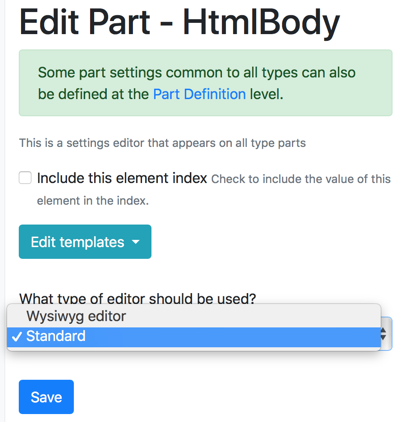
The HTML Body Part used to input the body of the alert uses the Standard HTML Editor. You can change the editor to use a Wysiwyg editor.
If you prefer to use Markdown instead of HTML, you can replace the HTML Body Part with the Markdown Body Part. If you do choose Markdown, you will also need to change the template.
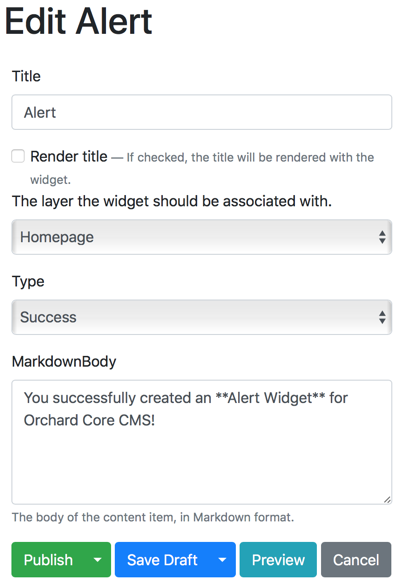
<div class="alert alert-{{ Model.ContentItem.Content.Alert.Type.Text }}" role="alert">
  {{ Model.Content.MarkdownBodyPart | shape_render }}
</div>
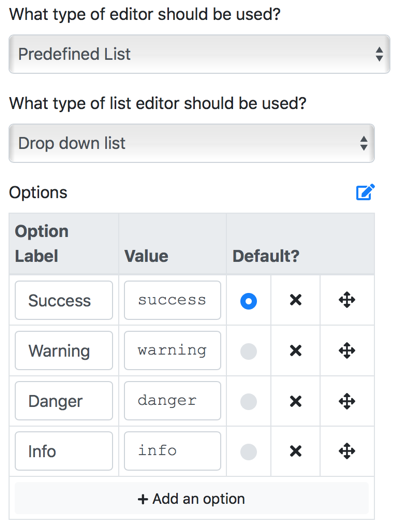
The Type of alert is specified by choosing an option from the Type drop down list. The list comes preconfigued with the following types: Success, Info, Warning, and Danger. The list uses the Predefined List Editor. You can add additional types by editing the Type field and the list of options.
Road map
There are no plans to add any additional features at this time.
Credits
BootstrapAlert.OrchardCore is created and maintained by David Hayden.
Bootstrap is a popular front-end component library.
-
.NETCoreApp 3.1
- OrchardCore.ContentManagement (>= 1.0.0-rc2-13450)
- OrchardCore.DisplayManagement (>= 1.0.0-rc2-13450)
- OrchardCore.Module.Targets (>= 1.0.0-rc2-13450)
- .NETCoreApp 3.1: 3.1.0.0
OwnersDavid Hayden |
AuthorsDavid Hayden |
Project URLhttps://github.com/davidhayden/BootstrapAlert.OrchardCore |
LicenseMIT |
TagsAlert Bootstrap OrchardCore |
Info78 total downloads |
| 78 downloads for version 1.0.0-rc2-13 |
| Download (6.72 KB) |
| Found on the current feed only |
Package history
| Version | Size | Last updated | Downloads | Mirrored? | |||
|---|---|---|---|---|---|---|---|

|
1.0.0-rc2-13 | 6.72 KB | Sat, 27 Jun 2020 18:27:54 GMT | 78 |

|