Gallery

viscous
Viscous dev feed
Viscous
Viscous is a Visual Studio extension for developing, compiling, and deploying Solidity smart contracts to EVM-compatible blockchain networks.
Features
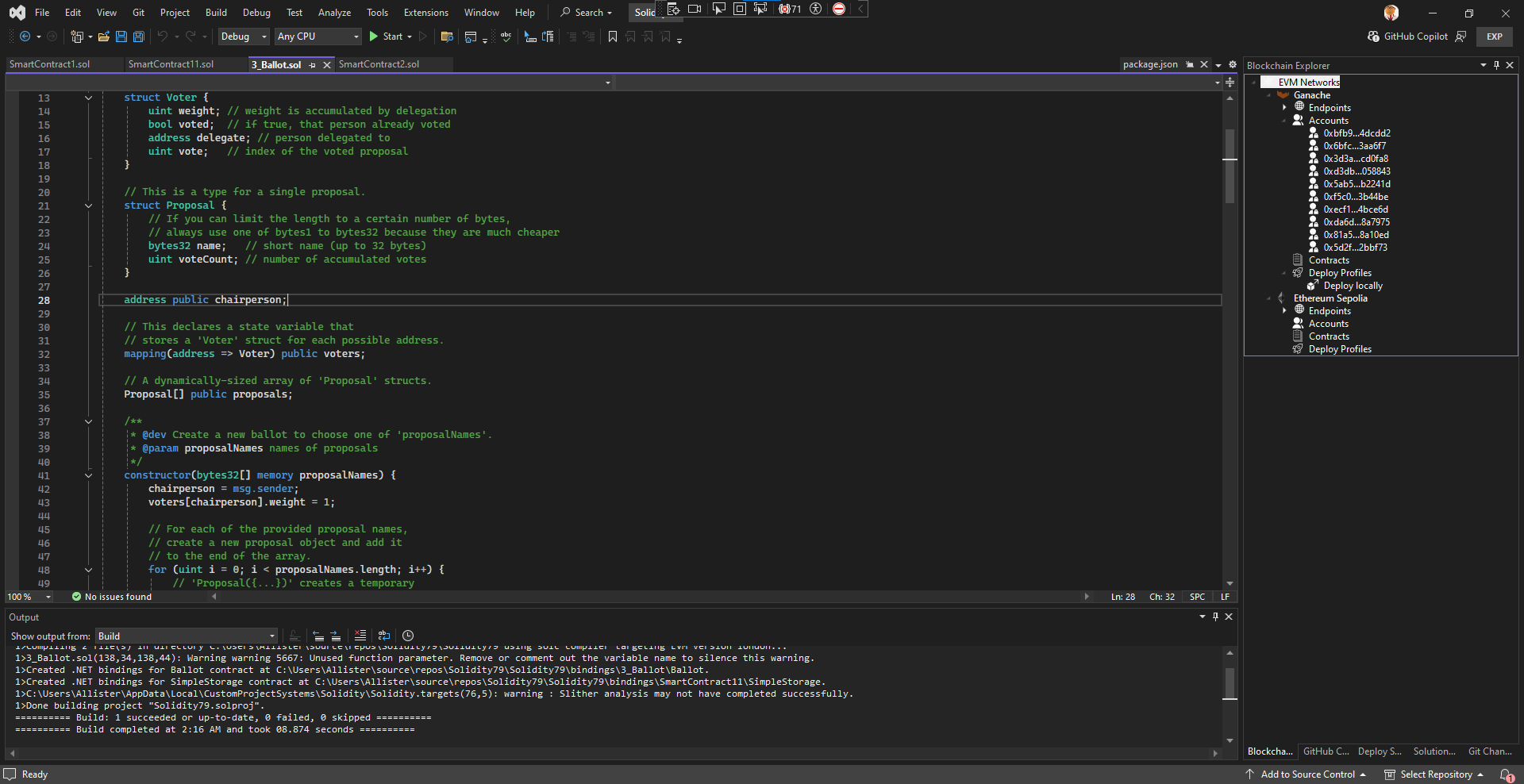
Solidity project system for Visual Studio featuring Solidity compiler integration and NPM dependency management. Integrates with the Visual Studio New Project… and Open Folder… dialogs.
Solidity language server.for syntax highlighting, hover information, IntelliSense, and linting.
Solidity compiler integration with MSBuild and the Visual Studio Build command - compile Solidity projects and individual files from the IDE with errors reported in the Errors tool window.
Generate .NET bindings to Solidity smart contracts automatically using Nethereum.
Manage EVM networks, endpoints, accounts, deploy profiles, and deployed contracts from the Blockchain Explorer tool window.
Deploy a compiled contract to a blockchain network and call its functions from inside Visual Studio.
Find vulnerabilities and code‑quality issues with Slither static analysis inside Visual Studio.
Requirements
- Visual Studio 2022 and above
- A recent version of Node.js or compatible runtime
- Python 3.8+
User Guide
- Creating and Opening Projects
- Editing Solidity Code
- Building and Compiiling
- .NET Bindings
- Blockchain Explorer
- Deploy a Smart Contract
- Run a Smart Contract
- Static Analysis with Slither
Getting started
- Install the extension and open Visual Studio.
- Edit the %LOCALAPPDATA%\Viscous\appsettings.json file and set the paths to the Node.js and npm and Python executables you want to use for the extension's language server and other needed tools. The extension's private .npmrc has
ignore-scripts=true - Create a new Solidity Project (File → New → Project, set Solidity as the Language.) Alternatively you can just open a folder of
.solfiles to edit individual files. See Creating and Opening Projects - Add and edit Solidity smart contract files. Use Visual Studio's
package.jsonediting support to add your smart contract dependencies and right-click on an existing package.json and select Install NPM dependencies. - Build the project to compile your contracts and generate bindings. If you just opened a folder then right-click and compile an individual Solidity contract. See Building and Compiling Projects
- For Solidity projects, configure a network and a deploy profile in the Blockchain Explorer, then deploy and run your Solidity contracts.
- Right-click on a Solidity contract and click Analyze Contract to run Slither static analysis.
Usage Notes
- The very first time you open a Solidity file the extension will install the Node.js language server package in the extension's private
node_modulesdirectory. This will take a few seconds to complete and Solidity IntelliSense and hover information etc. won't be available during this time. Once the language server is installed the first time, editing Solidity contracts will be as usual.